Candid 2025 Release Highlights
In-Text File Uploads for TFLs
One of the most significant additions to Candid is the ability to upload and view in-text files alongside TFL documents. Teams can now attach in-text source files to individual TFLs or upload them in bulk through the batch upload process. In-text files are viewable directly within the Quick View and Review tools, giving reviewers immediate access to the underlying data without leaving Candid. The in-text status is also reflected on the conversion status chart on the Analysis Details page.
Cross-Analysis Title Search
A new Title Search tool allows users to search for TFLs across all analyses in their organization. This is especially useful for teams managing multiple studies who need to quickly locate a specific table, figure, or listing without navigating into each analysis individually. The search tool supports filtering and provides direct links to matching outputs.
Enhanced Review Notifications
Candid now provides richer notification support for the review process. Users will receive notifications when a review period is ending soon, helping teams stay on top of review deadlines. Additionally, new notifications are sent when comments or replies are posted during a review, so reviewers and authors are always in the loop. Notification preferences (email, hub, or both) can be configured under My Profile. Owner role users are also now automatically included in review period email distributions.
Comment Index Enhancements
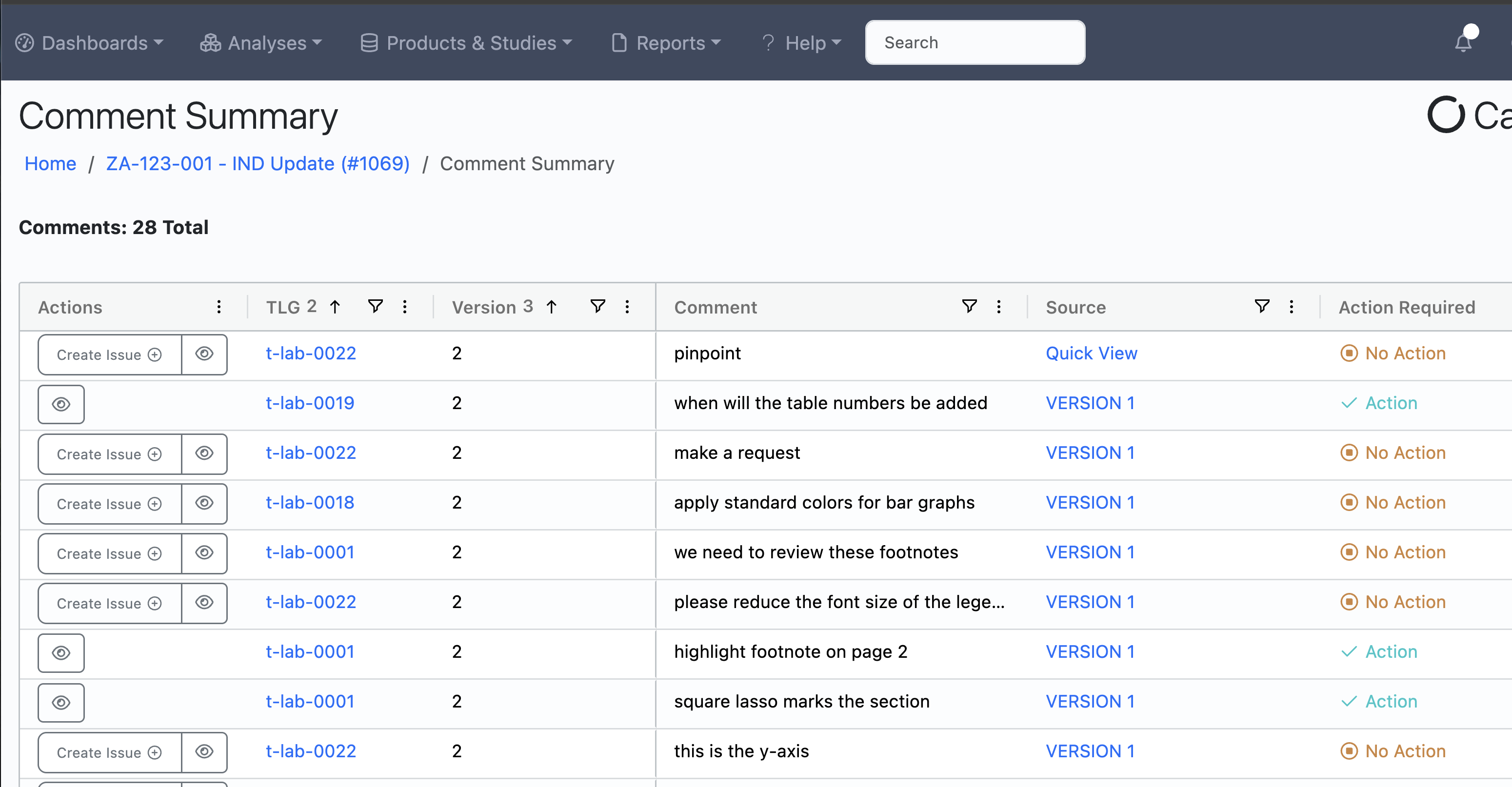
Building on the Comment Index introduced in Q1, this release replaces the legacy Adjudication Summary page with the more powerful Comment Index. The Comment Index now includes issue information alongside comments, making it easier to track which comments have been turned into actionable issues. The Create Issue button now automatically changes the annotation status to "Action," streamlining the workflow from reviewer feedback to programmer action items. General TFL comments are also now clearly distinguished from markup-specific comments with a modal icon for quick viewing.
AG Grid Improvements Across All Indices
The grid-based indices throughout Candid have received significant improvements. Canned filters for "My Issues" and "Open Issues" make it easy to quickly narrow down the Issue Index. A new filter sub-title displays the active filter name and result count on all AG Grid pages, so users always know what filter is applied and how many records match. Status filtering is now available on the TFL output index, and the TFL Type and Number columns have been added to the Issue Index export. Date filtering has also been aligned and improved across all grid views.
Analysis Export
A new Analysis Export feature is available from the Analysis Index. Teams can now export analysis metadata to Excel, providing a convenient way to share analysis information with stakeholders or maintain records outside of Candid. The export includes key analysis fields and can be filtered before exporting.
Dataset Metadata Export
In addition to the existing TFL Metadata Export, Candid now offers a dedicated Dataset Metadata Export report. Both reports have been enhanced with additional fields including current output/dataset status, default test methods, and default test program information. Analysis names have also been added to these reports per customer request.
Reporting Role and Granular Permissions
A new Reporting user role has been introduced, along with more granular permissions for all reports. Administrators can now control access to individual reports, giving organizations finer control over who can view sensitive analysis and resourcing data.
Rich Text Editor Upgrade
The WYSIWYG text editor used throughout Candid for batch instructions, issue descriptions, and other rich text fields has been upgraded from the legacy Pell editor to TipTap. The new editor provides a more reliable and modern editing experience with better formatting support.
Required Fields Validation on Workflow Transitions
Output and Dataset workflows now support a required_fields_present transition expression. When enabled, this validates that all required fields are filled in before allowing a status transition. This is especially useful for teams that need to enforce data completeness before outputs move through the workflow. Validation is also applied on test result forms and bulk upload wizards.
Additional Improvements
- Working Directory on Analysis Form - An optional working directory field can now be displayed on the Start New Analysis form, helping teams track file system locations for analysis projects.
- File Upload Limit Increased - The maximum file upload size has been increased to 500 MB.
- Batch Completion Reversal - Batch completion can now be reversed, giving teams more flexibility in their workflow management.
- Comment Export Improvements - The review period comment export report now includes TFL numbers and sorts by TFL name then comment date for easier consumption.
- User Name on Admin Index - The admin User Index now displays user names in addition to email addresses.
- Conversion Status Details - Additional PDF conversion status information is now available on the Analysis Details page and output indices.
- Review Tool UX - A new sidebar button has been added to the review tool, and the previous/next buttons are now properly disabled at the beginning and end of the review list.
Learn More
For more information or to request a free Candid trial please schedule a free demo.