Introducing Candid Library: A New Way to Build TFL Shells
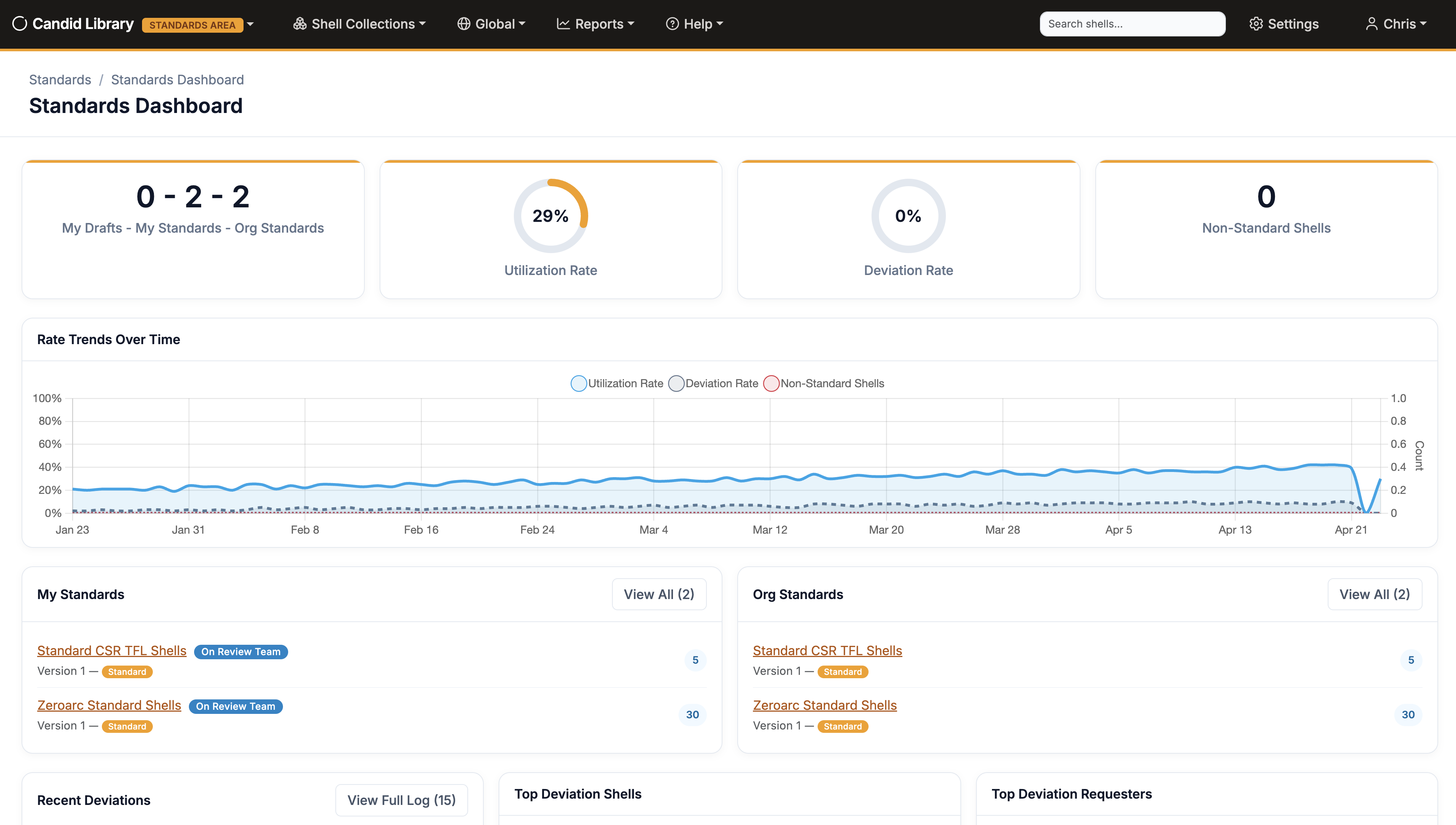
We are excited to announce Candid Library, a brand new application from Zeroarc designed to modernize how Biometrics teams create, manage, and publish machine readable TFL (Table, Figure, and Listing) shells and standards.
For years, the industry standard practice for managing shell specifications has been Microsoft Word. While Word is a capable tool, using it for shell management introduces challenges around version control, collaboration, reusability, and consistency. Candid Library was built from the ground up to solve these problems.
Candid Library — purpose-built for TFL shell management
What is Candid Library?
Candid Library is a multi-tenant web application that gives statisticians and statistical programmers a dedicated platform for authoring and maintaining TFL shell standards and study-level implementations. Instead of passing Word documents back and forth, teams work together in a single, centralized environment with built-in versioning, role-based access, and a visual mock editor.
Key Features
Visual Mock Editor
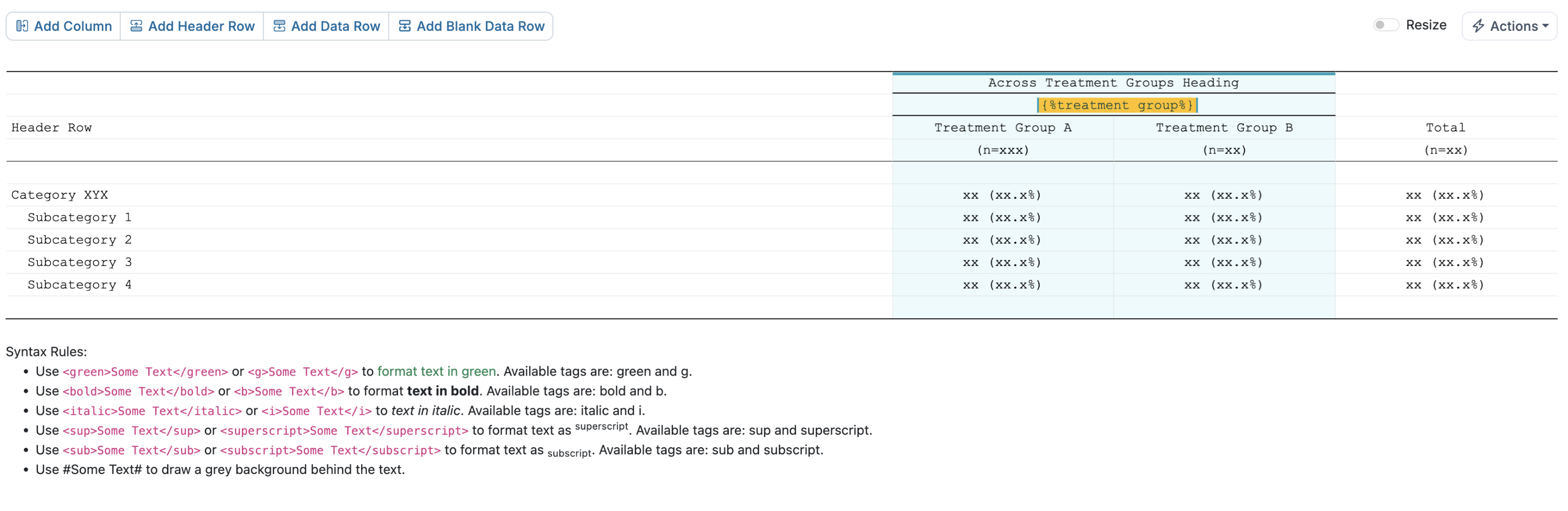
The heart of Candid Library is the Mock Editor — an interactive, browser-based table designer that replaces the tedious process of formatting mock tables in Word. The editor supports adding and removing rows and columns, merging cells, adjusting column widths, setting text alignment and formatting, and much more. What used to take careful manual formatting in Word is now a few clicks. A dedicated resize mode lets you interactively drag column and row boundaries to fine-tune widths with percentage-based controls, and utilities like Equalize Data Columns make it easy to ensure consistent layouts.
Checkpoints and Undo/Redo
Every change in the Mock Editor is tracked by a full undo/redo stack, so you can experiment freely and step back at any time. Beyond undo, the checkpoint system lets you save named snapshots of a mock at any point in time — and the system automatically creates checkpoints on structural changes and when you navigate away. A visual timeline lets you preview and restore any previous state, giving you a safety net that Word could never offer.
Mock Templates
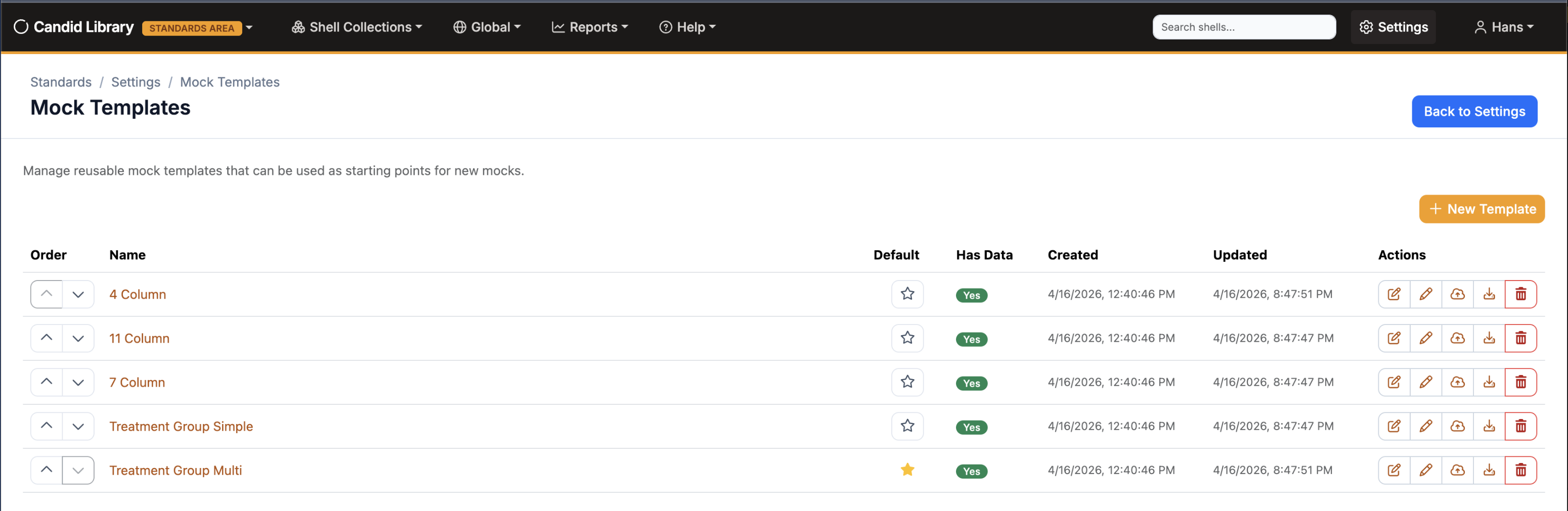
Start new shells faster with reusable mock templates. Candid Library ships with a set of built-in templates for common layouts — 4-column, 7-column, 11-column, and treatment group tables — and you can save any mock as a custom template. Administrators can also create new templates and designate a default template that is automatically applied when creating new shells, ensuring organizational consistency from the start.
Smart Parameters
Candid Library introduces a powerful parameter system that makes shells truly reusable. Replacement parameters like {{Treatment Group}} act as dynamic placeholders that get filled in when a shell is applied to a specific study. Conditional parameters let you define optional content that can be toggled on or off, or offer multiple choices — perfect for shells that need to accommodate slight variations across studies. Treatment groups can be inserted directly into mock cells via context menu, and default treatment groups are automatically added to new collections.
Shell Collections and Versioning
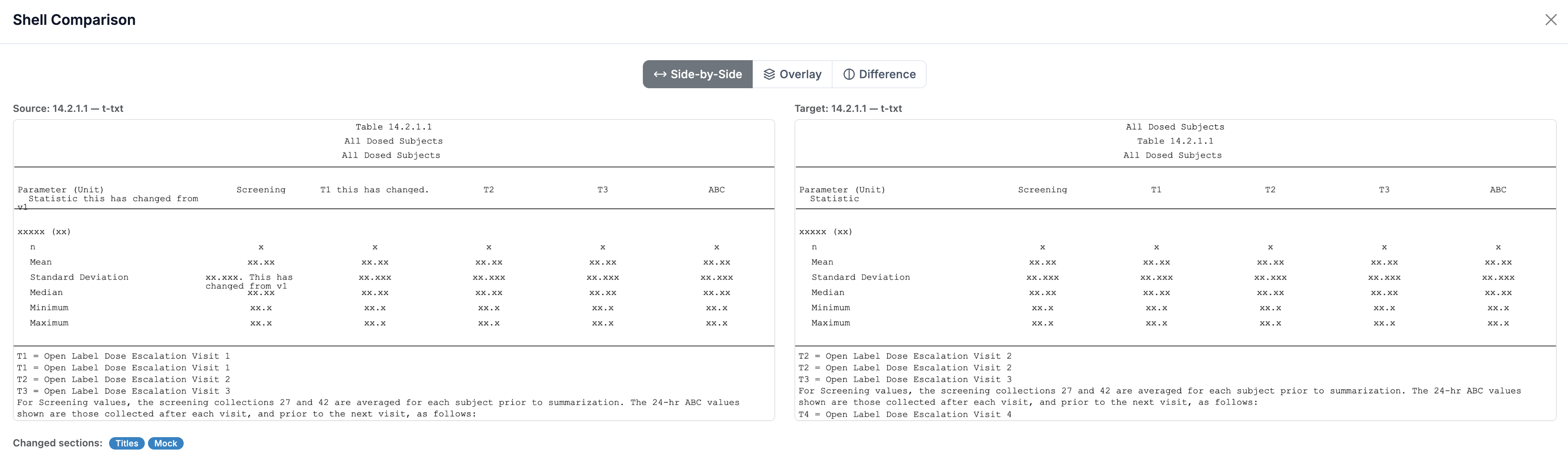
Shells are organized into collections that follow a structured versioning workflow. Draft collections can be edited collaboratively, and once finalized, they are published as immutable versions. This gives teams a clear audit trail and the confidence that published standards won't be accidentally modified. When standards evolve, upversioning creates a deep copy of all shells, titles, footnotes, mocks, and parameters — and a built-in standards diff tool shows exactly what changed between versions.
Standards and Working Modes
Candid Library operates in two modes. Standards mode is where Curators define and maintain the organization's reusable shell templates — global titles, footnotes, programming notes, and mock templates. Working mode is where Editors create study-specific shell collections, deriving from published standards and requesting deviations when needed.
The standards lifecycle follows a clear promotion path: Draft, Provisional Standard, Active Standard, Superseded, and Archived. An approval request workflow lets curators request sign-off from team members before promoting a standard, and the revert-to-draft feature provides flexibility when a released standard needs further iteration.
Review and Collaboration
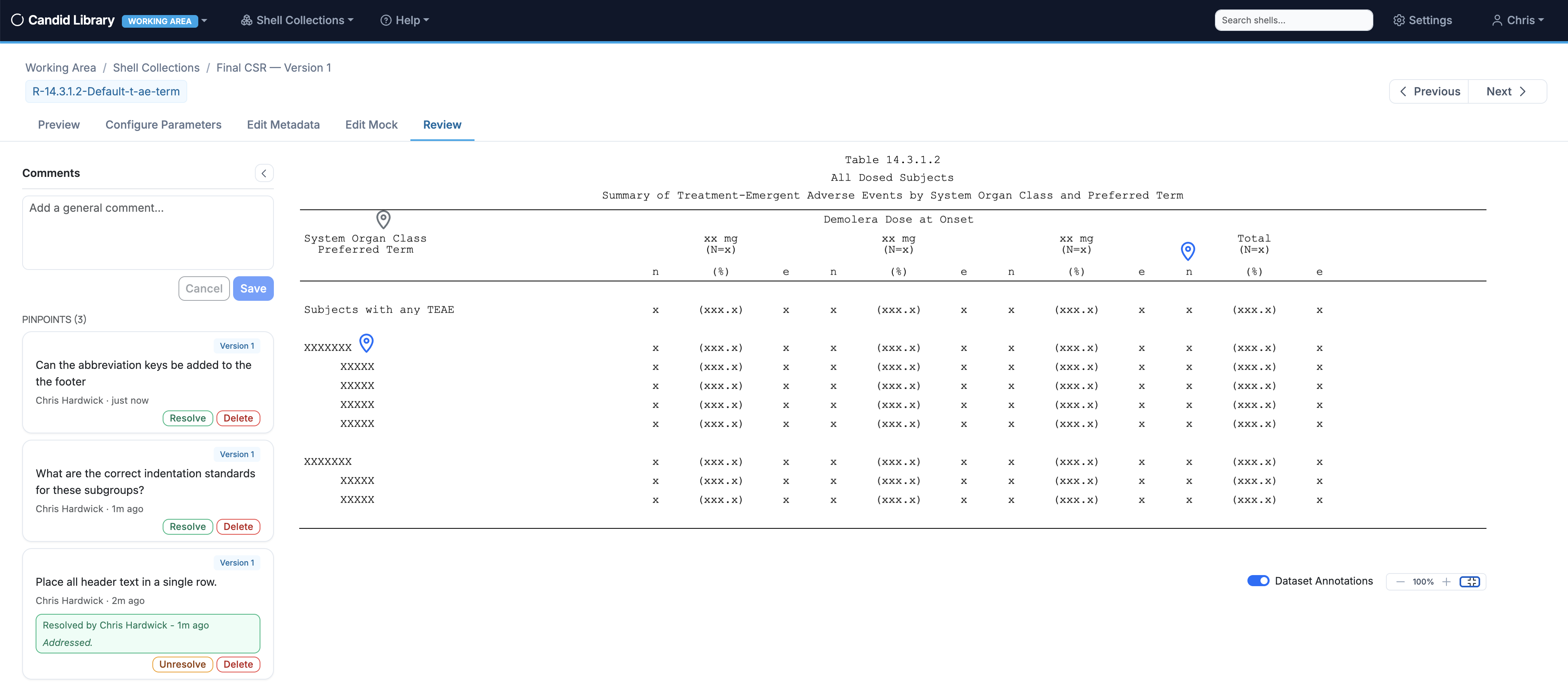
Candid Library includes a full review workflow for shells. Reviewers can leave general comments on any shell, or use pinpoint annotations to place comments at specific locations on the mock, title, footnote, or notes — clicking directly on the area they want to discuss. Each comment has a resolution workflow with tracking, so nothing falls through the cracks. Review teams are assigned at the collection level, and a dedicated review comments page lets you see and filter all feedback in one place.
Dataset Annotations
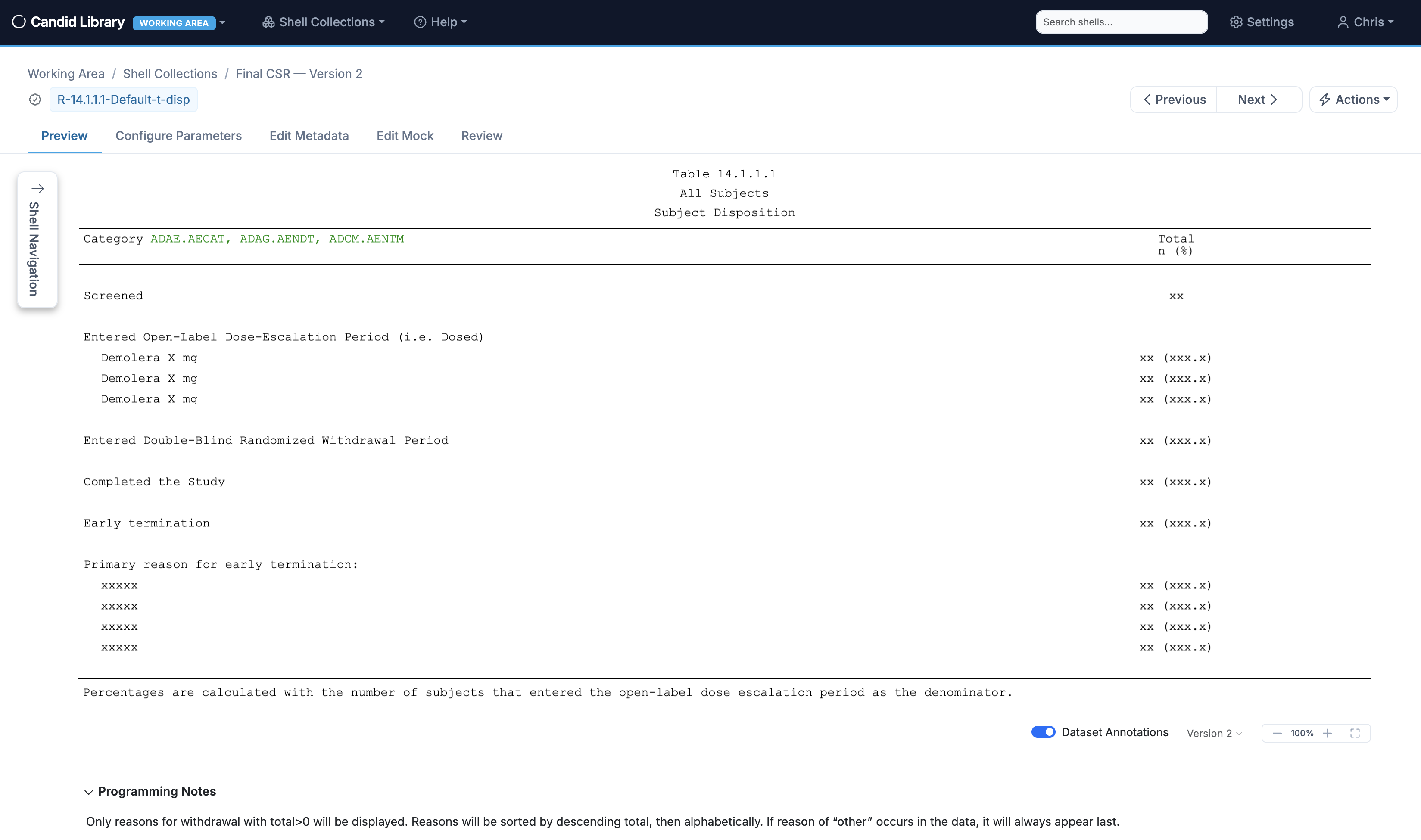
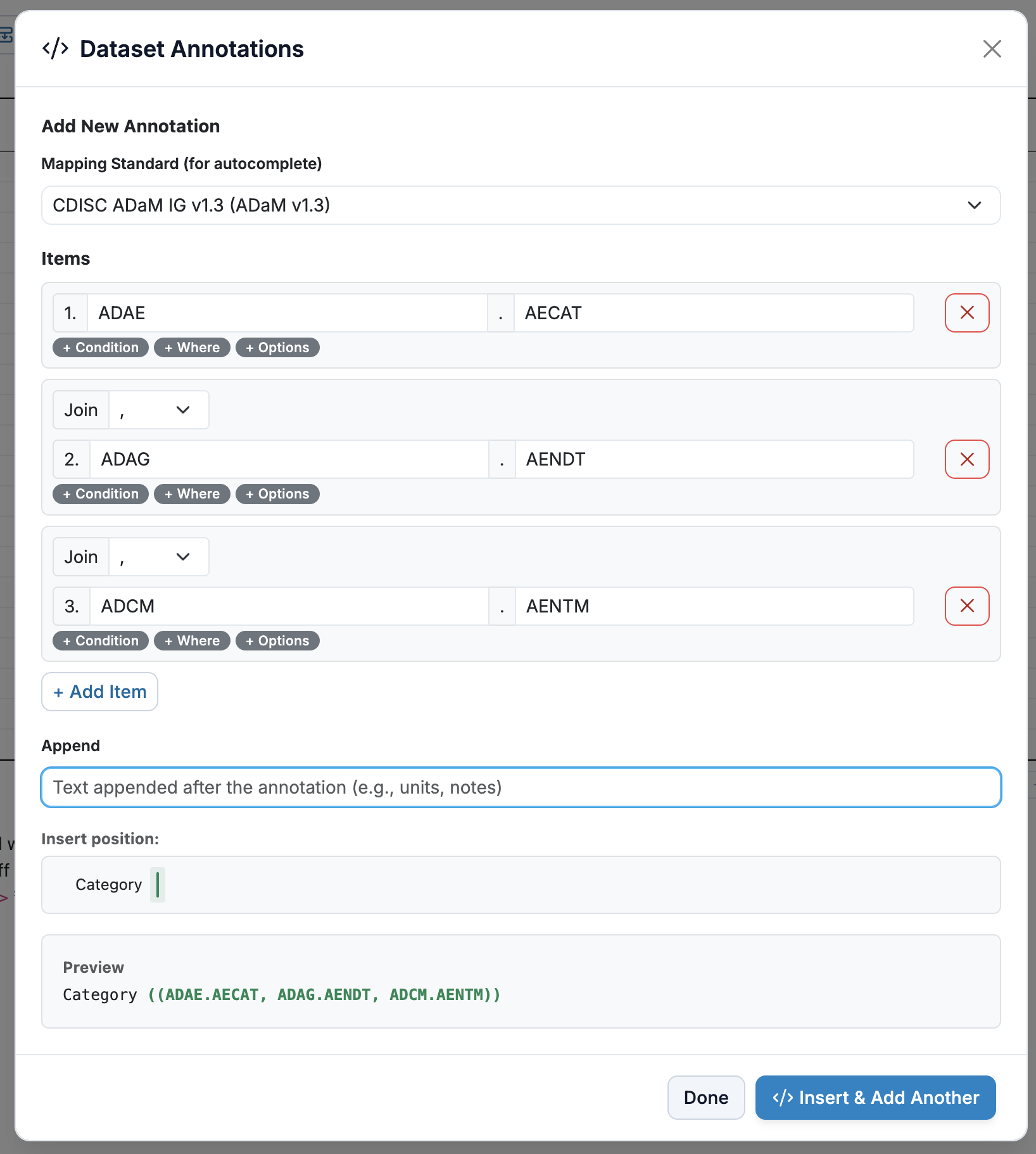
Map CDISC dataset variables directly to your shells with the dataset annotation feature. Annotated content is highlighted in green in titles, footnotes, and notes, giving programmers clear traceability from the shell specification to the underlying data. Annotations can be toggled on and off to keep the view clean when not needed.
AI-Powered Features with Claude
Candid Library includes an optional integration with Claude AI that goes beyond simple editing assistance.
AI Mock Editor — Describe changes in plain English ("add two more treatment group columns" or "insert a row for BMI below the age row") and Claude generates the changes for you to review before accepting. You can also generate an initial mock layout from a description, accelerating the creation of new shells.
AI Import from Word — Already have shell specifications in Word documents? The AI Import wizard lets you upload a Word file and uses Claude to automatically convert it into a structured mock layout. Preview the result before accepting, and iterate until it matches your expectations. This dramatically reduces the effort of migrating existing standards into Candid Library.
PDF and Word Export
Need to share shell specifications outside of Candid Library? Export entire collections as polished PDF or Word documents with a single click. Exports include a cover page, table of contents, collection instructions, and rendered mock snapshots — everything stakeholders need in a familiar format. This is especially valuable for regulatory submissions and for teams that are transitioning from Word-based workflows.
Candid Integration
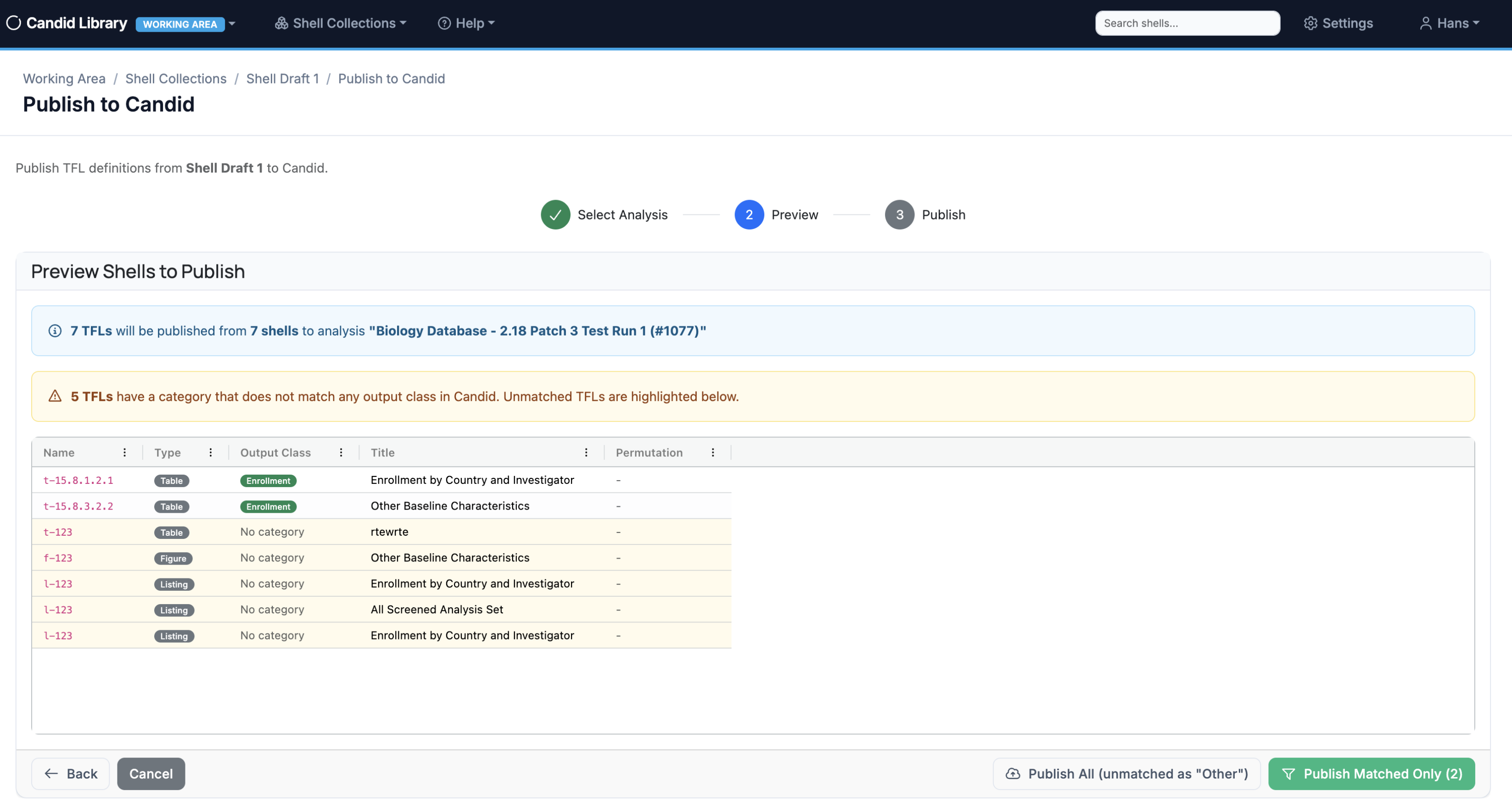
For teams already using Candid for TFL review and analysis management, Candid Library integrates directly. Publish shell collections to Candid analyses with a guided workflow that handles parameter expansion, shell mapping, and versioning — all through a secure OAuth2 connection.
Enterprise-Ready
Candid Library is built for regulated environments. It features multi-tenancy with full data isolation, role-based access control (Viewer, Editor, Curator, Administrator), Okta and Entra ID SSO support, comprehensive audit logging, and encrypted storage of sensitive configuration. Every action is tracked and every published version is preserved. An administrative settings hub centralizes user management, integration configuration, mock template management, dataset mappings, and background job scheduling.
Built-In User Guide
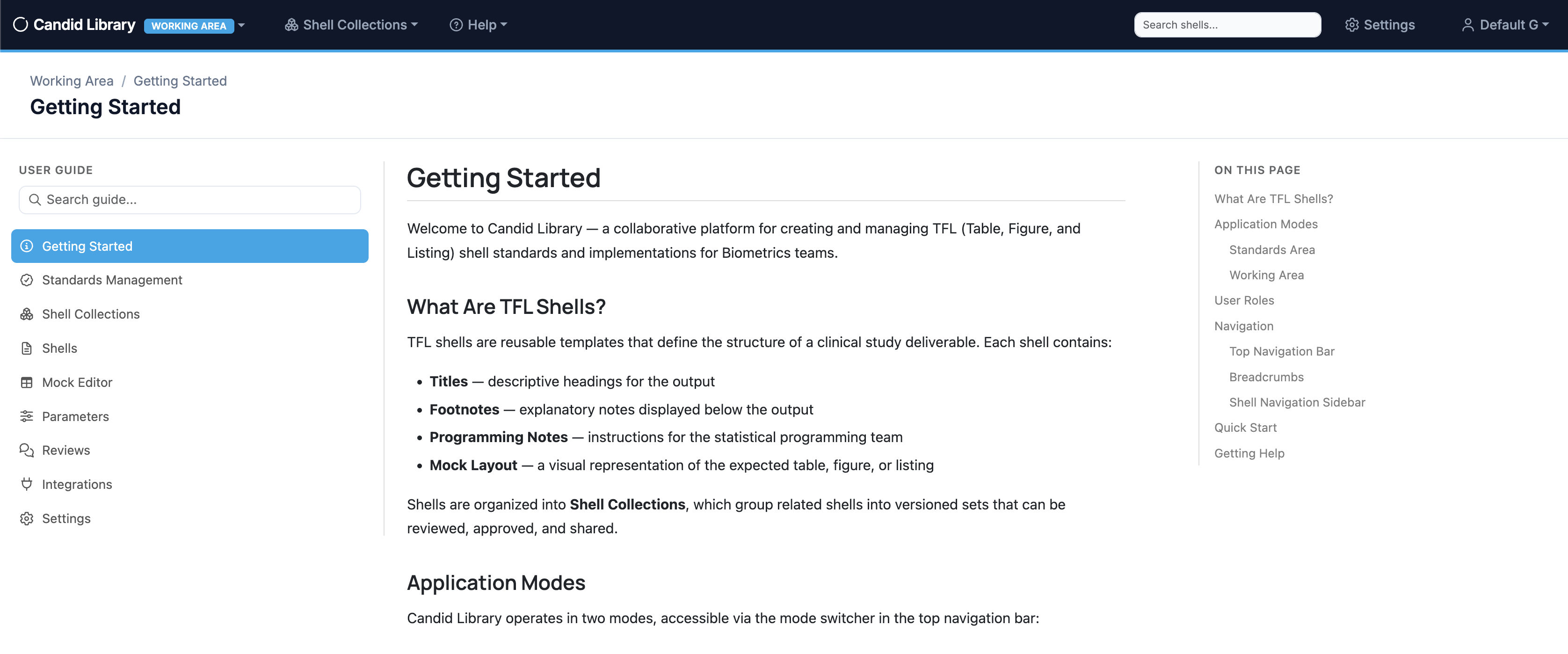
Candid Library includes a comprehensive, built-in user guide accessible from within the application. Documentation covers getting started, the mock editor, shell collections, parameters, reviews, settings, integrations, and standards management — so your team can onboard and find answers without leaving the app.
See It at PharmaSUG 2026
We will be demoing Candid Library live at PharmaSUG 2026 in Boston. If you're attending, please stop by our booth — we'd love to show you what we've been building and hear your feedback. Can't make it to Boston? Let us know and we'll set up a private demo.
Beta Coming Q2 2026
We are targeting a beta release in Q2 of 2026. If you're interested in being an early adopter and helping shape the product, we'd love to hear from you.
Learn More
Want to learn more about Candid Library or get on the beta list? Please visit zeroarc.com or schedule a conversation with our team.